
Avoid costly navigation errors with ECDIS. Here are 10 common mistakes ship officers make and practical tips to prevent them.
Introduction
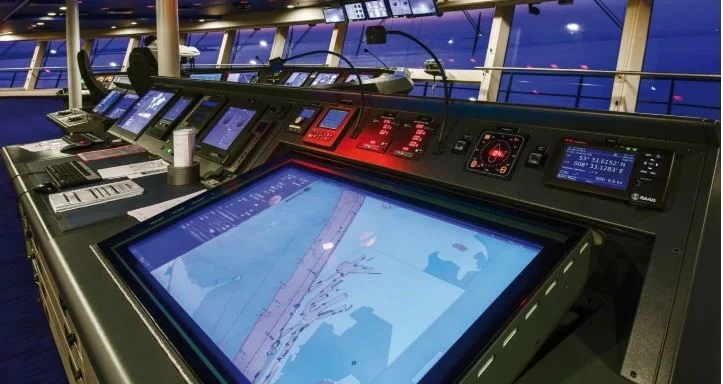
The Electronic Chart Display and Information System (ECDIS) has revolutionised navigation, replacing paper charts on most modern vessels.
But while ECDIS offers accuracy and efficiency, it’s only as good as the officer operating it.
From incorrect safety contour settings to ignoring alarms, small mistakes on ECDIS can lead to big problems at sea — sometimes even grounding incidents.
In this blog, we’ll go through 10 common ECDIS mistakes and how you can avoid them, ensuring safer navigation and compliance with international standards.
- Incorrect Safety Contour Settings
Many officers leave default settings instead of adjusting them to the vessel’s current draft.
Fix: Always calculate and set the safety contour based on under-keel clearance, tide, and squat.
- Outdated ENC Updates
Delaying ENC updates can leave you navigating on old data.
Fix: Update weekly, verify corrections, and log the update date/time.
- Ignoring or Silencing Alarms
Muting alarms without investigating the cause can hide critical warnings.
Fix: Treat every alarm seriously, investigate, and log actions taken.
- Over-Reliance on ECDIS
Relying solely on ECDIS and neglecting visual navigation or radar cross-checks can be dangerous.
Fix: Cross-check with radar, GPS, and visual bearings.
- Poor Route Planning
Using auto-generated routes without thorough checking can lead to unsafe passages.
Fix: Verify every waypoint, cross-check with sailing directions, and avoid no-go areas.
- Not Using Look-Ahead Features
Skipping look-ahead settings reduces early hazard detection.
Fix: Adjust look-ahead to at least 6–12 minutes based on vessel speed.
- Incorrect Datum Settings
Mismatched datum between GPS and ENC can shift your displayed position.
Fix: Ensure both are set to WGS-84 unless otherwise required.
- Failure to Back Up Routes
A power loss or system crash can wipe your planned route.
Fix: Save routes to external storage and secondary ECDIS.
- Neglecting Watchkeeper Familiarization
Officers not fully trained on that specific ECDIS model may miss key features.
Fix: Conduct model-specific training and onboard familiarization.
- Not Logging ECDIS Checks Properly
Incomplete ECDIS log entries can cause compliance issues during inspections.
Fix: Record all updates, settings changes, and alarms in the ECDIS log.
Pro Tips for ECDIS Use
Always keep a mental picture of your ship’s position beyond the screen.
Conduct daily ECDIS checks as part of bridge routine.
Include ECDIS alarm handling in your onboard training drills.
Why This Matters
Port State Control, RightShip, and the vetting inspectors, place a significant focus on ECDIS operation. An avoidable single mistake could lead to detention, insurance problems, and even worse, an accident.
By being aware of some of the common errors, you will foster safety for navigation and maintain professional standards on the bridge.